

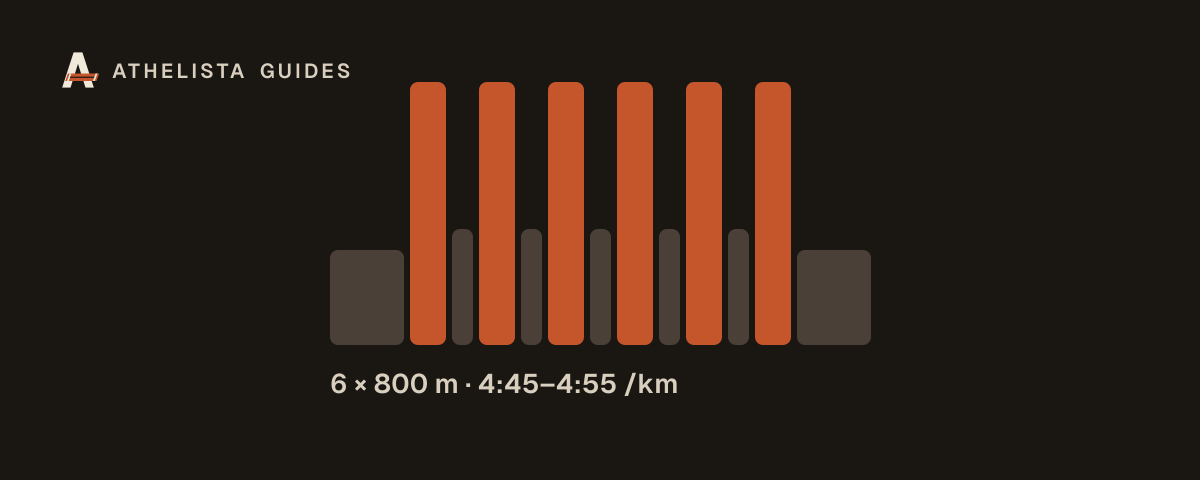
You've written a good session: 2 km warm-up, 6 × 800 m at 5K pace with 90 seconds of jogging, 2 km cool-down. Then half the group runs the reps too fast, someone forgets how many they've done, and nobody is sure what "5K pace" meant for them.
A structured workout on the watch fixes that. The watch counts the reps, shows the target pace and beeps when the athlete drifts. Here's how to get there.
What a structured workout is
A structured workout is a list of steps the watch follows:
- Warm-up until 2 km
- Repeat 6 times: run 800 m at 4:45–4:55 per km, then recover 90 seconds
- Cool-down until 2 km
Each step has an end (time, distance, lap button or heart rate) and a target (pace, heart-rate zone, heart-rate range or cadence). Garmin watches that support workouts show the current step, the target and what's next.
Option 1: build it in Garmin Connect
Athletes can create the workout themselves in Garmin Connect and send it to their watch. That works for one runner with one plan. For a coach, it means every athlete retyping your session, with mistakes and different paces.
Option 2: Garmin's own coaching tools
Garmin Connect has built-in plans, but they're Garmin's plans, not yours. They don't help when you coach a group with your own sessions.
Option 3: a coaching platform that sends workouts
Coaching platforms connected to Garmin can put workouts straight on athletes' Garmin calendars. What to look for:
- Each athlete's own targets. "5K pace" should become each runner's 5K pace, and "Zone 2" their own heart-rate range.
- Updates when you change the plan. Moving or editing a session should update the watch without anyone resending it.
- Runs coming back. The finished run should come back into the platform next to the plan, so you see what was actually done.
- Quick to write. If building a session takes longer than typing it in a group chat, you won't keep it up.
How it works in Athelista
- Athletes connect Garmin once and allow workouts to be sent to their watch.
- You write the session the way you'd text it: "2k wu, 6 × 800 m @ 5K pace with 90 s jog, 2k cd". Athelista turns it into structured steps.
- Each athlete's watch gets their version: paces from their pace group, zones as their own heart rates. The next 7 days of runs are always on the watch.
- The run comes back from Garmin or COROS, linked to the plan, with each lap next to the planned interval.
Tips for sessions that work on the watch
- Use ranges, not single paces. 4:45–4:55 per km is easier to hold than exactly 4:50, and the watch won't beep on every stride.
- End recoveries by time. "90 s jog" works better than "200 m jog" when the group runs at very different speeds.
- Use the lap button for track sessions where GPS is unreliable, and let athletes press lap at the line.
- Keep notes short. The watch shows only a line or two; put detailed cues in the session notes your athletes read before they start.
What about athletes without a Garmin?
Not every athlete has a supported watch. They should still be able to see the session on their phone, mark it done, or upload a file from any watch (FIT, GPX or TCX), so you see everyone's week in one place.
Want to try it with your group? Start free with up to 5 athletes.